Auto Annotation
Learn how to configure, execute, and reuse annotation templates across projects with Auto Annotation.

Auto Annotation creates multiple annotation label types by combining annotation settings with scope-based object filtering. You can define where labels are created, standardize templates, and re-execute them across files and projects.
Key Features:
- Multi-annotation setup - Configure one or more annotation rows and run selected rows together.
- Annotation settings control - Define feature, label type, style, and case-specific inputs.
- Scope and filtering - Use file scope and OneFilter-style object rules to control label locations.
- Template/profile workflow - Save and reuse standardized configurations across projects.
- Re-execution support - Recreate labels after updates while preserving relocated label positions.
Getting Started
Basic Workflow
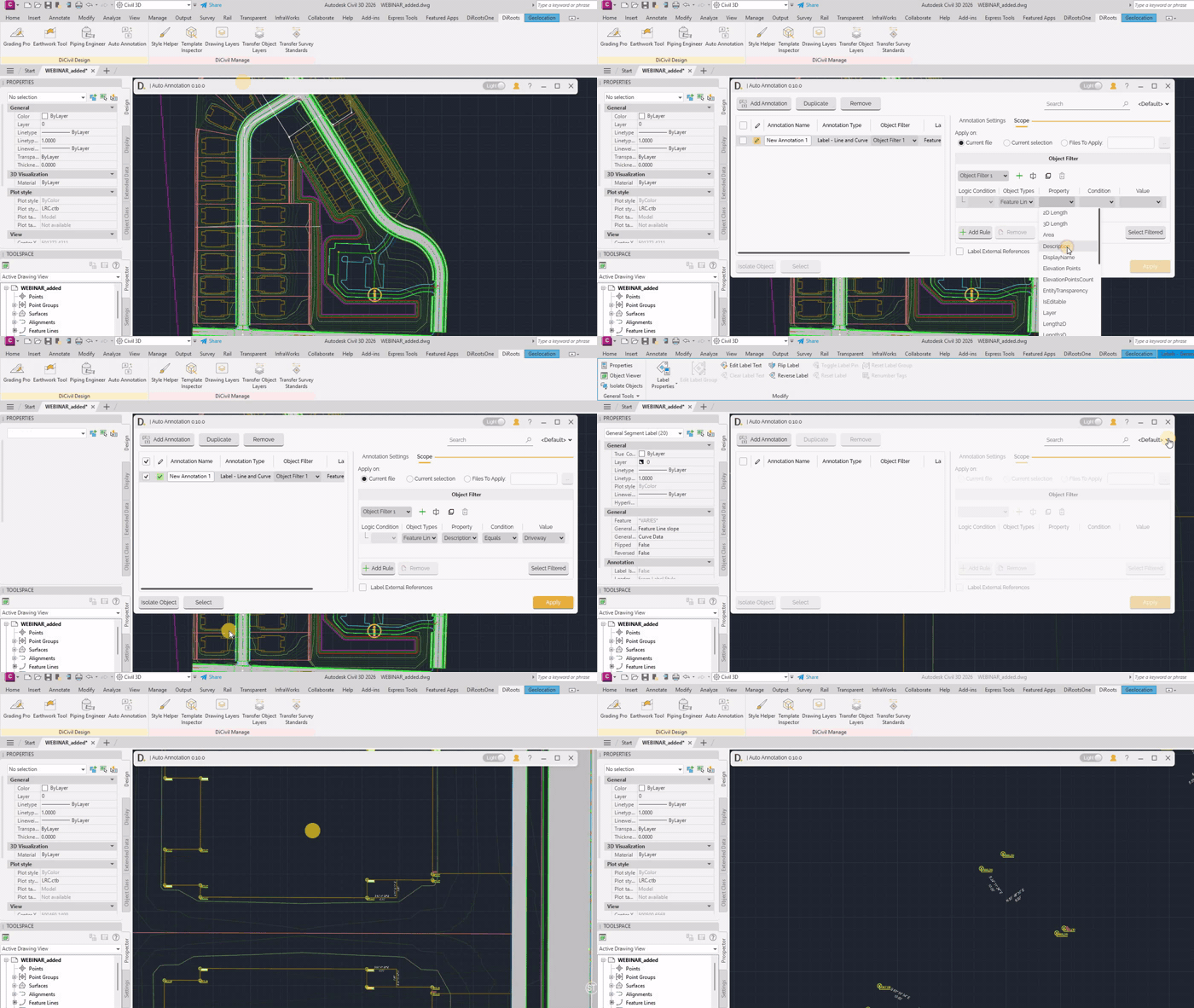
- Open Auto Annotation - Launch the tool from the DiRoots tab.
- Add Annotation Rows - Create one or more rows in the main table.
- Configure Annotation Settings - Define feature, label type, and styles per row.
- Configure Scope - Choose where to apply and define object filters.
- Check Rows to Execute - Select only the rows to create annotations.
- Apply - Run Auto Annotation on checked rows.
 Note: the version on the image may not reflect the latest version of DiCivil Package.